App demo
A quick tour of each screen: dashboard, bookings, contracts, reminders, and payments.
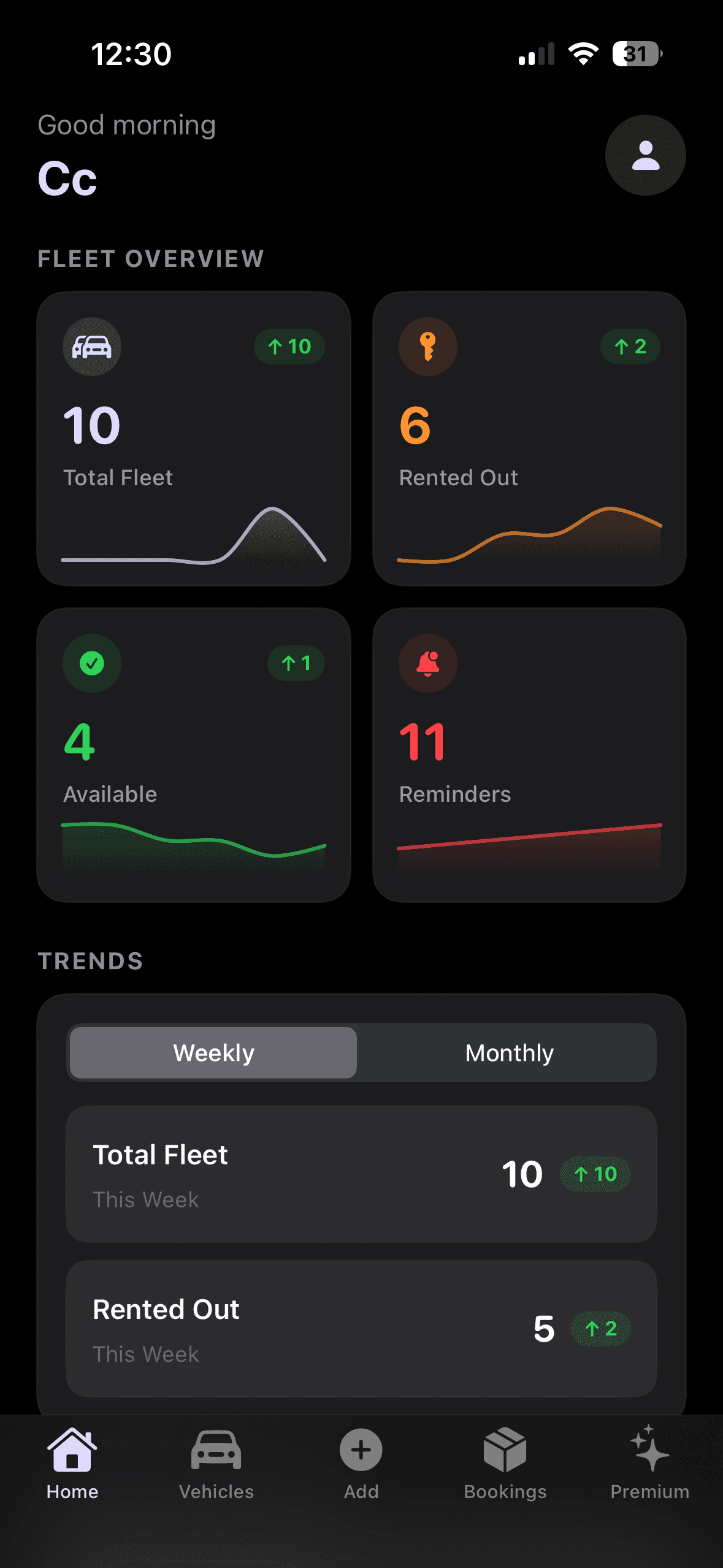
Dashboard
Dashboard
Interactive preview
Watch key app pages rotate automatically
The carousel highlights your core screens: Dashboard, Add Booking, Manage Booking, Contracts, Reminders, Payments, and Payment Summary.
How each screen works
Screen by screen tour
What each screen does in Rento, kept short and specific.
Dashboard
Bookings, reminders, and revenue in one view.
See active bookings, upcoming reminders, and key totals. Jump into vehicles, renters, bookings, or payments.
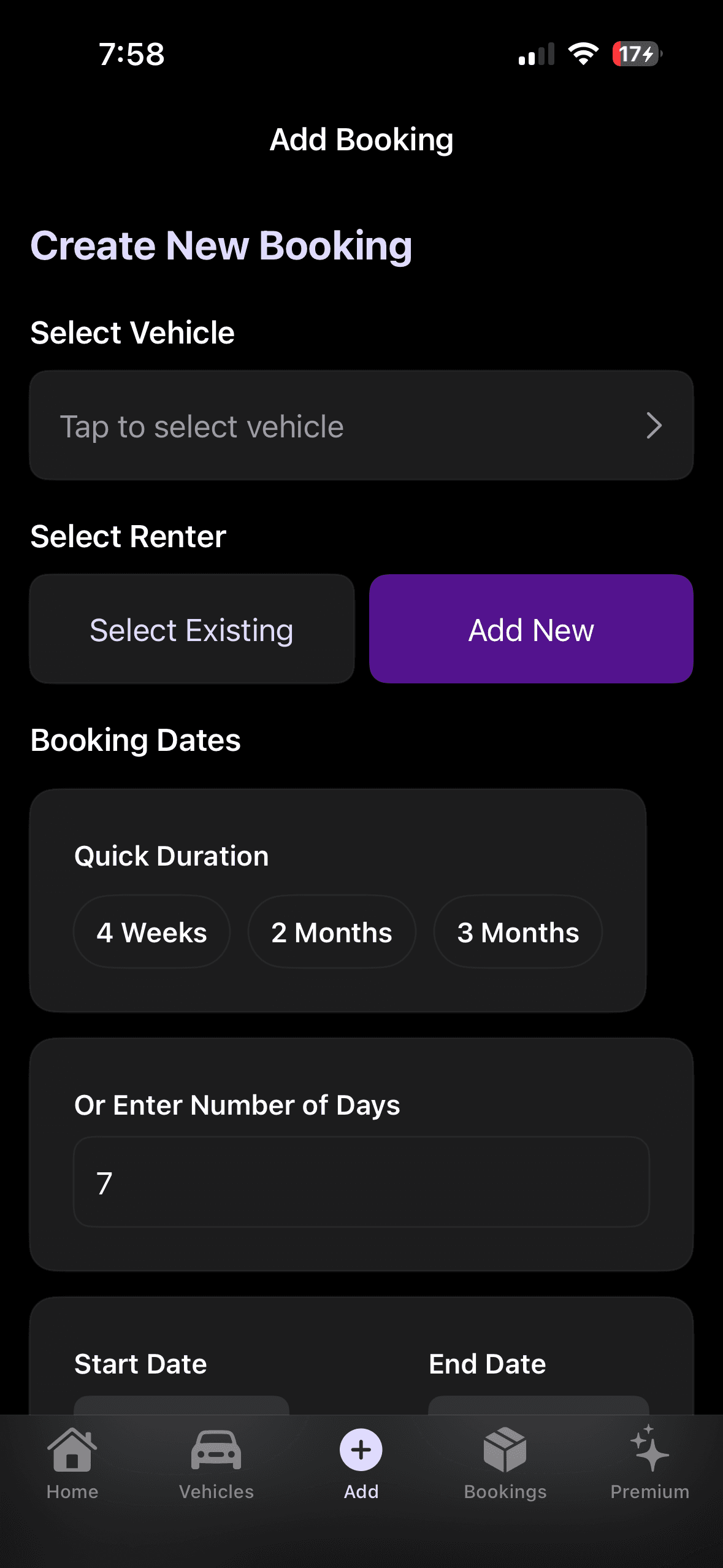
Add booking
Renter, vehicle, dates, and weekly rent.
Create the rental in one flow. Weekly instalments are calculated automatically from the booking length.
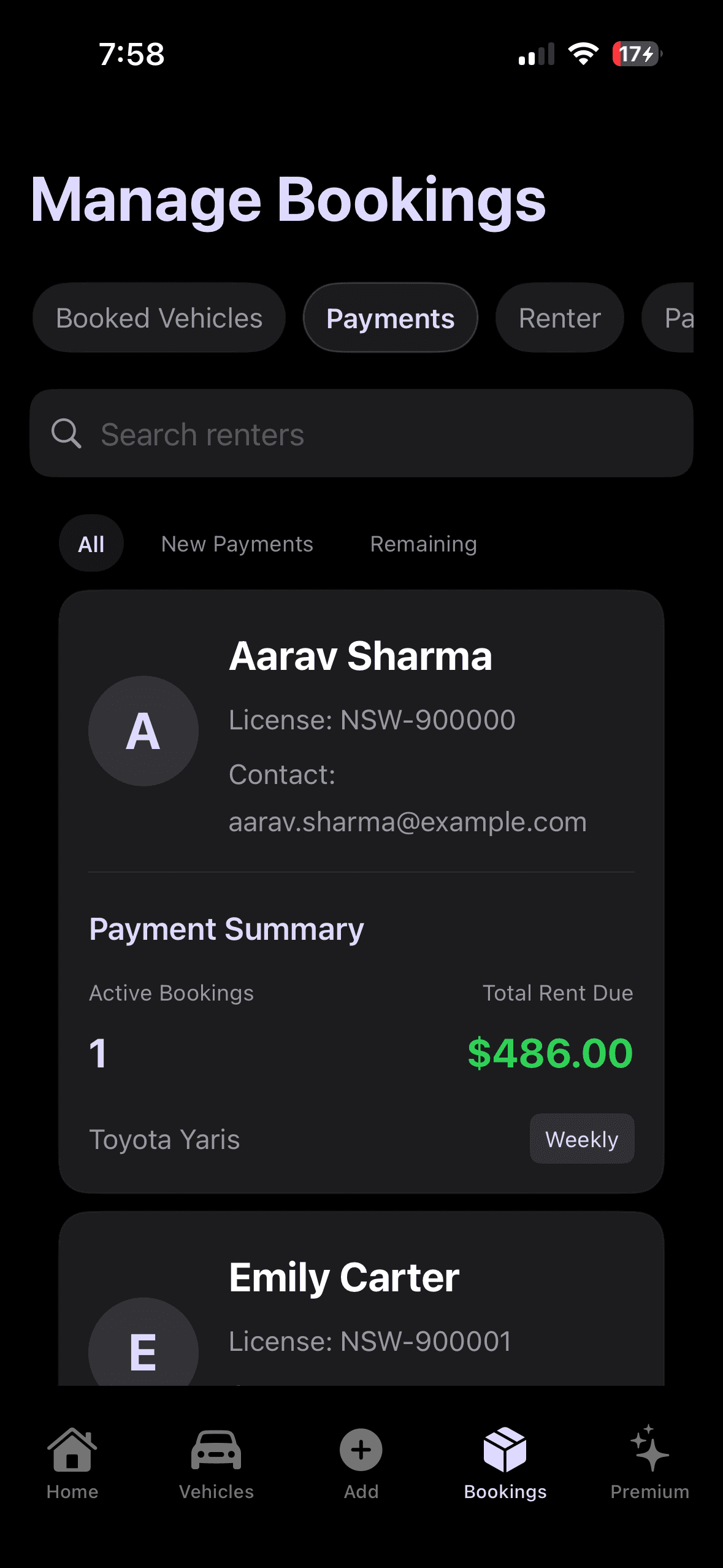
Manage booking
Status, extend, payments, and documents.
Run the full lifecycle on one record: update status, extend the contract, and open payments or PDFs from the same booking.
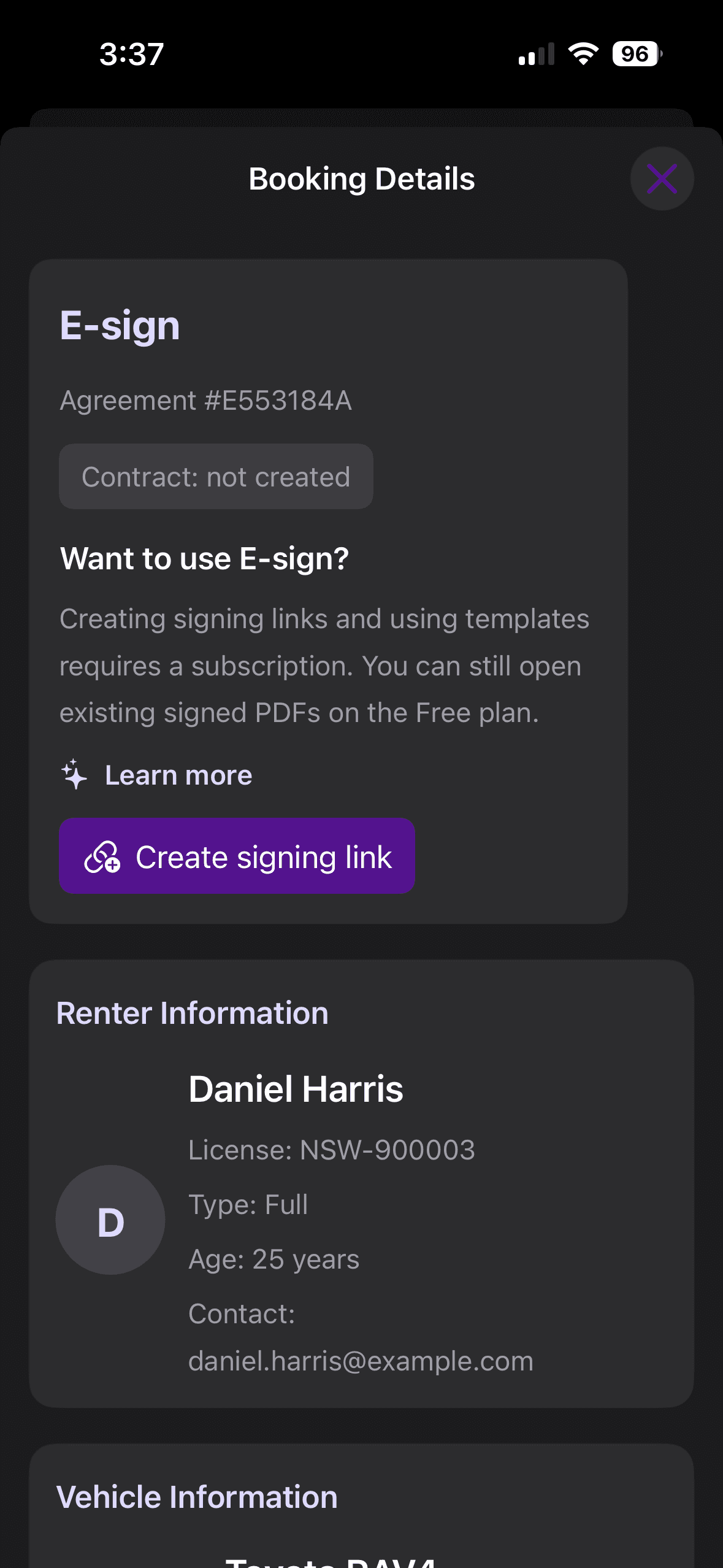
Contracts and PDF
Templates, signing links, signed PDFs.
Upload contract templates, create a signing link, and share on WhatsApp so renters can sign. Signed PDFs stay on the booking.
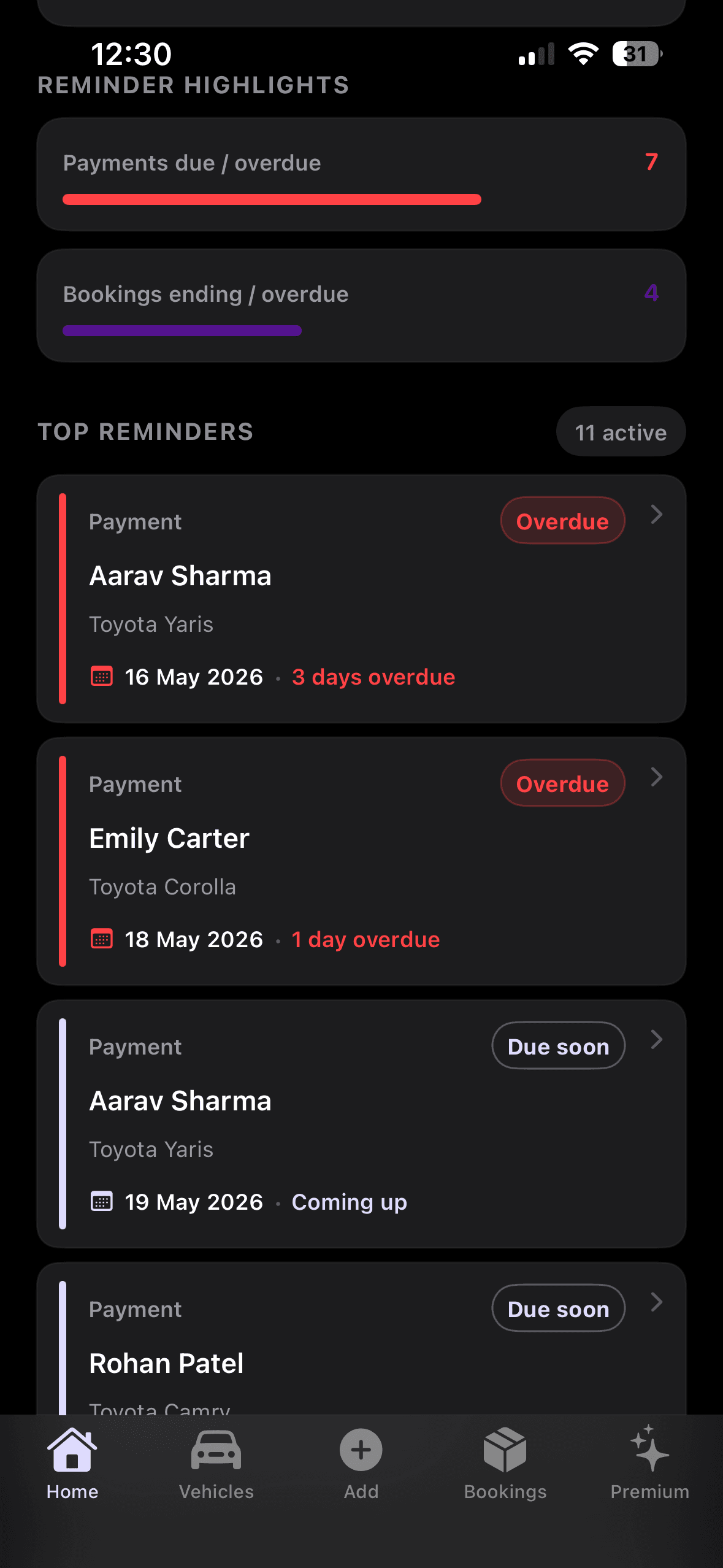
Reminders
Payments due and bookings ending soon.
Up to date reminders for upcoming payments and booking wrap ups, ordered by priority and due date.
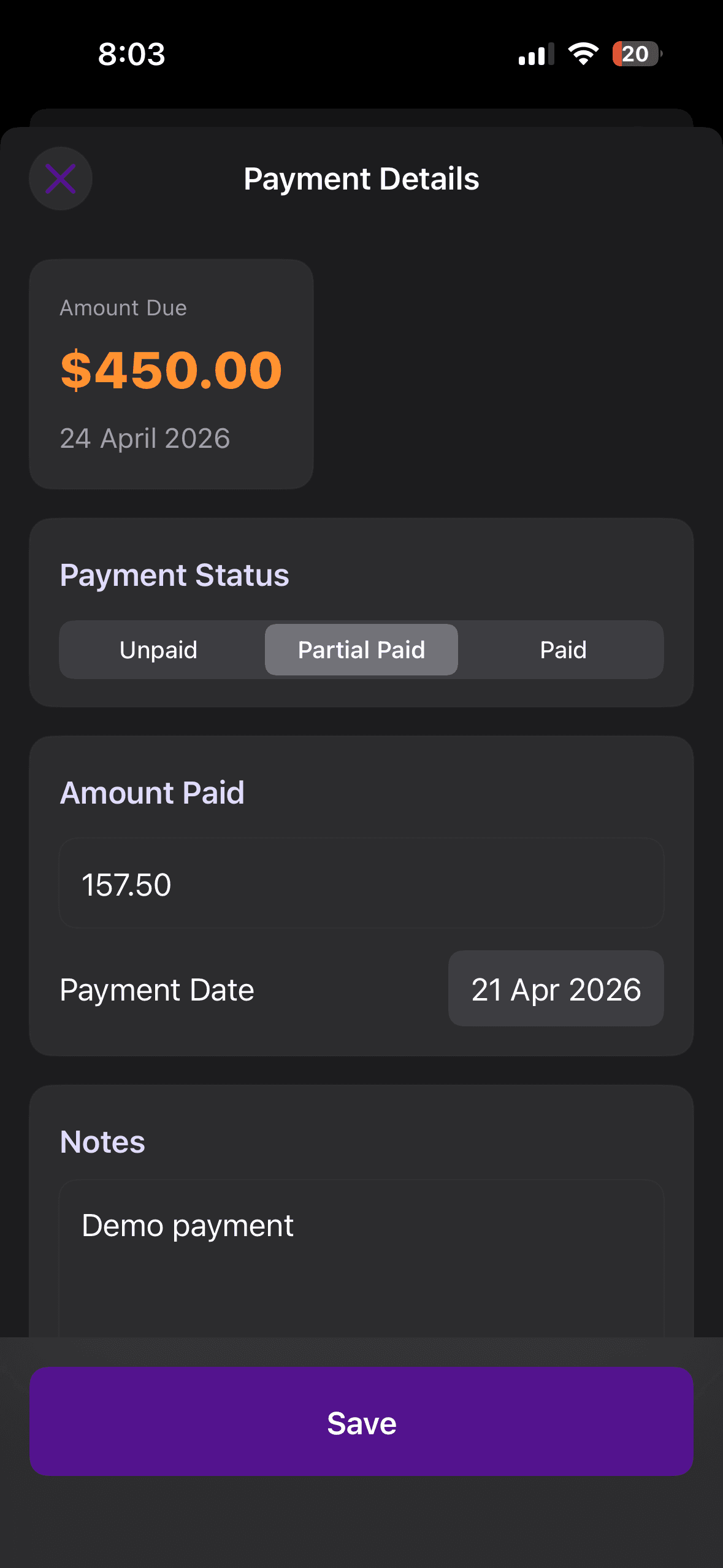
Payments
Weekly schedule with status and notes.
Payments are built week by week from your rent. Mark paid, partial, or unpaid, set due dates, and add notes per line.
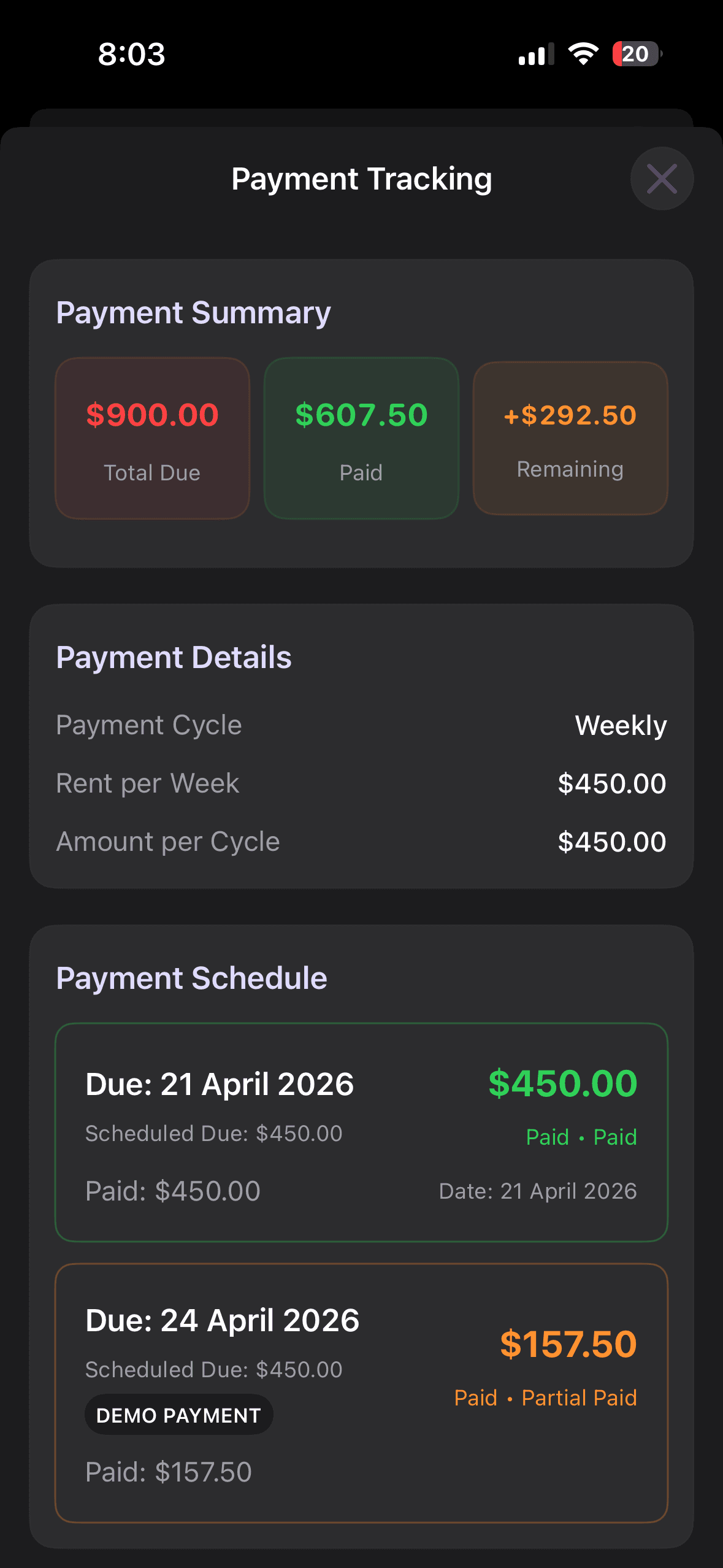
Payment summary
Total due, paid, and remaining.
View total due, amount paid, and what is still outstanding for the booking in one summary.
Ready to try it on your fleet?
Create your account to manage vehicles, bookings, and payments in one place.